reeve
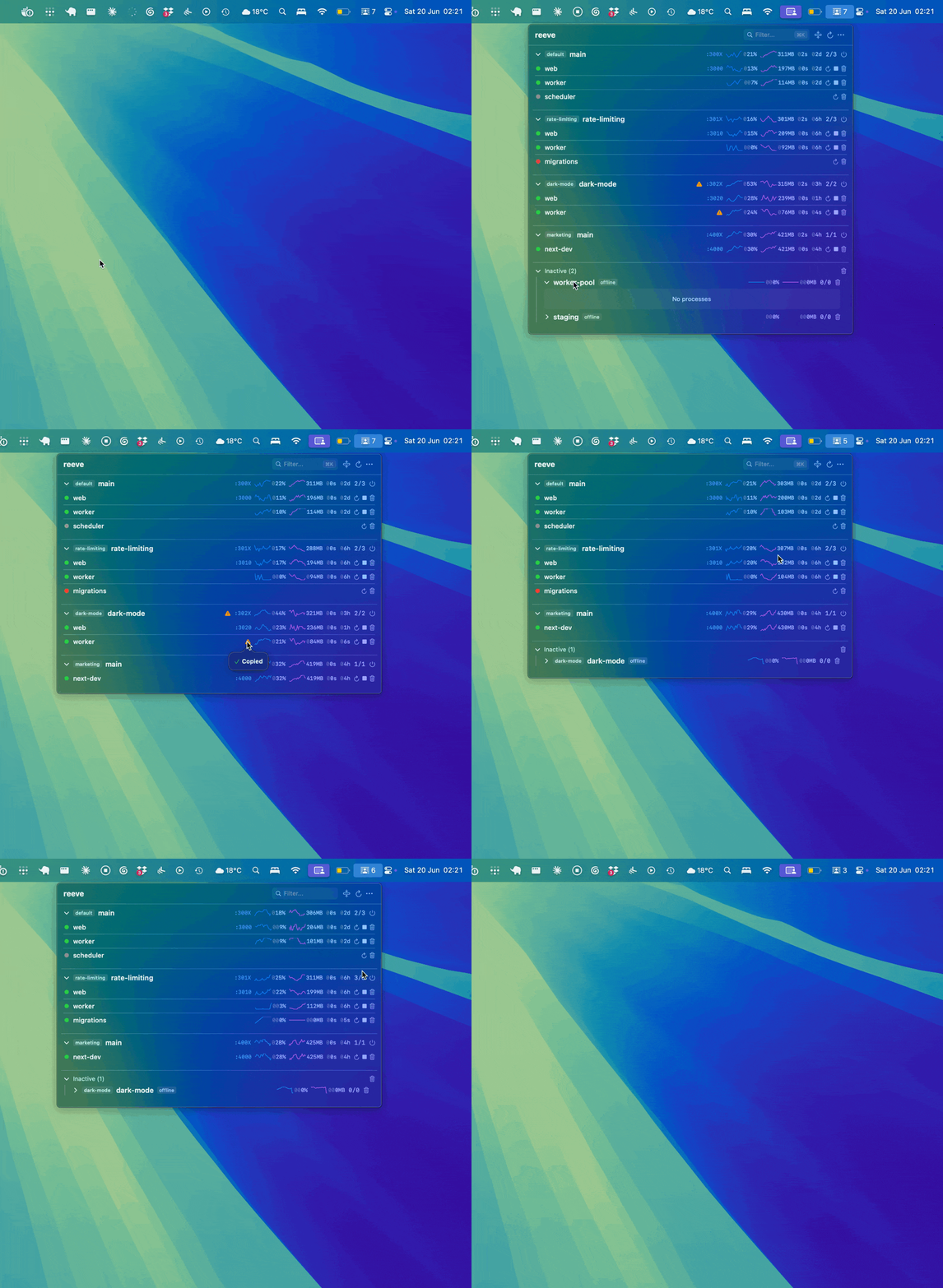
Keep an eye on your PM2 processes from the macOS menu bar.
Live status, CPU, memory, logs, and one-click restart/stop — without keeping a terminal open.
brew install --cask fredrivett/tap/reeve
Free & open source (MIT) · macOS 13+ · requires PM2
📊 Monitor at a glance
Status, CPU, memory, uptime and ports for every process, with sparkline history.
🎛️ Manage without the terminal
Restart, stop or delete any process straight from the menu bar.
🗂️ Grouped by workspace
Auto-discovers every PM2 workspace and groups processes by environment — built for juggling several projects at once.
🔀 Git repo & branch info
Shows the git repo and branch for each workspace, so you always know which worktree you're looking at.
🔁 Crash-loop detection
Flags processes that are rapidly restarting, so you spot trouble before it spreads.
🛟 Daemon error recovery
Surfaces a broken PM2 daemon inline, with a one-click kill to clear stuck or duplicate daemons.
🪵 Live logs & notifications
Stream process logs in real time, and get a desktop alert when something crashes or restarts.
🔍 Quick filter
Search processes by name, repo or branch, with ⌘K to jump straight to the filter.
🔌 Port conflict rescue
Spots when a process can't start because something else is squatting its port — one click frees the port and restarts the service.